
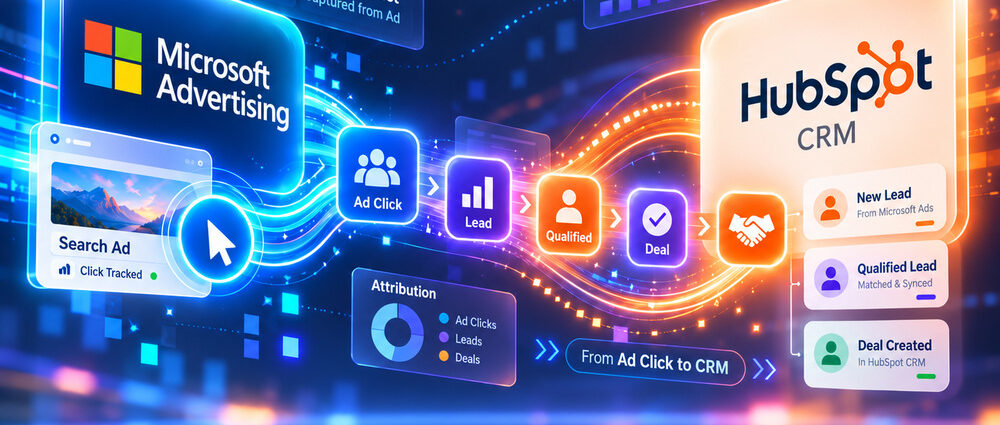
The Microsoft Advertising HubSpot integration connects eligible ad interactions with contacts and deals recorded in HubSpot. Introduced in September 2026, the native connection brings Microsoft campaign reporting into the CRM. It also supports audience synchronization and the transfer of selected lifecycle conversion events back to Microsoft Advertising.
For businesses with a longer sales cycle, that link can expose the gap between inexpensive leads and valuable opportunities. It does not automatically attribute every sale to an ad. Tracking coverage varies by campaign type, and reliable results still depend on maintained CRM records and separately configured conversion events.
What the Microsoft Ads HubSpot Integration Includes
Connecting an individual Microsoft Advertising account makes its existing campaigns visible in HubSpot’s ads tool. The connection supports four related jobs, but completing one does not guarantee the others are configured correctly.
- Campaign reporting shows Microsoft campaign results alongside other connected advertising accounts.
- Ad tracking helps associate supported interactions with HubSpot contacts.
- Audience synchronization uses eligible contact segments or website visitors for Microsoft targeting.
- Conversion events send qualifying lifecycle stage changes back to Microsoft Advertising.
The distinction between reporting and attribution is particularly important. HubSpot can display campaign metrics for a format even when that format does not support contact-level tracking. Microsoft announced the integration on September 30, 2026, positioning it around CRM visibility and faster follow-up, not guaranteed revenue attribution. A working reporting connection can therefore coexist with conversion syncing that has never been configured.
Connect Microsoft Advertising to HubSpot
The basic connection is available across HubSpot products and plans. Advanced audiences, workflows, and attribution reports may require specific subscriptions, so access to the connection does not imply access to every feature. The connecting user also needs Publish access in HubSpot’s ads tool and Super Admin access to the individual Microsoft Advertising account.
- In HubSpot, open Settings and go to Marketing > Ads.
- Under Ad accounts, select Connect account and choose Microsoft Advertising.
- Sign in with the Microsoft credentials associated with the ad account and approve access.
- Select the individual Microsoft Advertising accounts to connect.
- Confirm the connection and check that the accounts appear in HubSpot.
Microsoft Advertising does not support Google sign-in for this connection. Organizations using Microsoft Entra may need administrator approval for HubSpot’s access, while ad blockers can interfere with authorization. Disable a blocking extension temporarily if it prevents the sign-in window from completing. HubSpot’s connection instructions cover the latest permission and account requirements.
Only individual ad accounts can be connected directly; connecting a parent customer or manager account does not import all its advertisers. Cancelled accounts cannot connect, and billing or policy problems may also cause an existing account to appear inactive.
For agencies, this is more than a permissions detail. Before starting the connection, identify which client account and HubSpot portal belong together, who will maintain the integration, and whether the account owner is comfortable granting the required access. A clean connection should not depend on one employee retaining personal access indefinitely.
Which Microsoft Campaign Types Support HubSpot Tracking?
Contact attribution tracking and campaign reporting are not interchangeable. Tracking helps link an eligible ad interaction with a contact, while reporting displays campaign performance received from Microsoft Advertising.
| Campaign Type | Contact Tracking | Reporting |
|---|---|---|
| Search | Supported | Supported |
| Shopping | Supported | Supported |
| Audience | Not supported | Supported |
| Hotel | Supported | Supported |
| App | Supported | Supported |
| Performance Max | Supported | Campaign and asset group levels |
Audience is the clearest exception: its campaigns can appear in reports without the same contact attribution support. Performance Max supports tracking, but its reports do not break down performance by individual asset. These tracking differences also matter when comparing advertising costs. Microsoft Advertising benchmarks provide context for CPC and lead costs, but they cannot explain why a particular campaign lacks contact attribution in HubSpot.
Microsoft Ads Tracking and Contact Attribution in HubSpot
For supported ads, HubSpot can apply tracking parameters through the Microsoft account’s Final URL Suffix and enable msclkid auto-tagging. Those identifiers help HubSpot associate eligible ad interactions with website visits and subsequent contact activity.
Avoid overwriting the account-level suffix after enabling auto-tracking. Redirects, URL shorteners, and third-party tracking templates must also preserve query parameters; a landing page can load correctly while losing information needed for attribution. HubSpot’s Microsoft ads tracking documentation describes supported formats and technical requirements.
Check the Contact Journey, Not Just the Ad Dashboard
Test a supported Search ad journey from the destination URL through the form submission and resulting contact record. Confirm that the tracking information survives redirects and that HubSpot attributes the interaction as expected before evaluating the channel through CRM reports.
A missing attributed contact is not automatically evidence that Microsoft Advertising generated no business. The campaign type may lack tracking support, the URL identifiers may have been removed, or the person may not have become a trackable contact.
From Microsoft Ads Clicks to HubSpot Pipeline and Revenue
Imagine a software company running Microsoft Search campaigns for enterprise demo requests. A form submission begins the sales process, but the real commercial outcome may come weeks later when sales qualifies the contact, opens an opportunity, and closes a deal.
With supported tracking and accurate CRM associations, HubSpot can help relate those stages to advertising activity. That makes the integration relevant to Microsoft Ads for B2B lead generation, where inexpensive form submissions may be very different from opportunities the sales team accepts.
Contact attribution and revenue attribution still answer different questions. The first concerns contacts and their marketing interactions; the second depends on deals, associated contacts, reporting models, and the HubSpot subscription. A deal’s open pipeline value also should not be presented as closed revenue. An account with a long sales cycle may need months of clean associations before revenue trends become meaningful.
Reliable reporting starts with consistent lifecycle stage definitions and contact-to-deal associations. If sales updates qualification inconsistently, an attractive dashboard can exaggerate the quality of the underlying advertising traffic.
Send HubSpot Lifecycle Conversions Back to Microsoft Ads
Microsoft Ads conversion tracking becomes more useful when HubSpot sends qualified lifecycle events back to the advertising platform. This requires a separate configuration: merely connecting the ad account does not start synchronizing every CRM stage change.
HubSpot lets advertisers create an event triggered by a selected lifecycle stage. For example, moving a contact to a qualified stage or Customer can generate a conversion signal that Microsoft may use for measurement and optimization, provided the contact meets consent and matching requirements.
Configure a Lifecycle Conversion Event
- In HubSpot, open More > Marketing > Ads, or go directly to Marketing > Ads if More is not shown. Select Create > Conversion event.
- Select Sync lifecycle stage changes and the connected Microsoft Advertising account.
- Choose the appropriate Microsoft pixel and configure the lifecycle stage, Microsoft conversion event, event name, and value.
- Set contact matching fields and the consent property for eligible records.
- Create the event, then check its status and synchronized counts in the Conversion Events tab.
The conversion event instructions list the current setup details. Do not send contact data without the required permission, and avoid assigning arbitrary values that make an early-stage inquiry appear equivalent to a customer.
The event only counts lifecycle changes occurring after it is created. Earlier stage changes are not backfilled, and Microsoft may report a different conversion total because its reporting and attribution rules differ from HubSpot’s. For a long sales cycle, several weeks of low event volume may reflect timing rather than a failed connection.
Choose a stage that sales applies consistently before using the event to guide bids. A high-value conversion sent only a handful of times per quarter may offer useful reporting context but limited short-term optimization feedback. It can make sense to keep a more frequent earlier conversion visible while evaluating whether later-stage data is reliable enough for bidding.
Sync HubSpot Audiences With Microsoft Advertising
HubSpot can create Microsoft Advertising audiences from eligible contact segments and website visitors. Contact-based audiences use matched CRM records to reach existing prospects or customers. Visitor audiences instead rely on website activity and require the relevant Microsoft tracking pixel.
HubSpot lists a minimum Microsoft audience size of 300 users. A segment containing 300 CRM records may not produce 300 matched advertising users, so a list can remain too small to serve despite appearing large enough inside HubSpot.
Contact segment audiences require Marketing Hub Starter or higher, with audience limits varying by plan. Teams using CRM data for targeting also need a lawful basis, any necessary consent, and an appropriate privacy notice; audience synchronization is not permission to upload every contact automatically. Review synced segments as contact status and consent change over time.
A useful first audience could contain contacts who requested a demo but have not booked a meeting. Another could exclude existing customers from prospecting, where the campaign format and targeting options support that use. Build segments around an actual campaign decision rather than syncing broad CRM lists simply because the connection makes it possible.
What to Measure After Connecting HubSpot
The first reporting goal is to separate inexpensive inquiries from leads that sales can use. The metrics below help review Microsoft Advertising through HubSpot. They also distinguish early conversion signals from later sales outcomes, which may be less frequent or harder to attribute.
| Metric | What It Helps Explain |
|---|---|
| Cost per lead | Cost of the initial inquiry |
| Qualified lead rate | Share of inquiries accepted under sales criteria |
| Cost per qualified lead | Cost of an accepted lead |
| Opportunity rate | Share progressing into a genuine sales process |
| Pipeline value | Potential value of open deals, not realized revenue |
| Closed revenue | Value of won business with usable CRM associations |
The difference between cost per lead and cost per qualified lead is a useful first check. For businesses with few closed deals each month, qualified lead or opportunity data may provide faster feedback, while revenue remains important for longer-term decisions.
Revenue comparisons need their own caution. Multiple ads and channels may contribute to the same deal, and HubSpot attribution models can distribute credit differently from Microsoft Advertising. Reporting a deal as influenced by Microsoft is not the same as proving that Microsoft alone caused the sale. Label influenced pipeline and attributed revenue separately wherever the reporting model allows it.
Why the Integration Can Show Incomplete Data
A connected account can display spend and clicks while missing attribution or synchronized lifecycle events. Troubleshooting is faster when teams isolate the failed step instead of disconnecting and reconnecting the account immediately.
- Confirm that the correct individual ad account is connected and that users have the required permissions.
- Check tracking support for the campaign type before treating missing contacts as a malfunction.
- Inspect the Final URL Suffix,
msclkid, and redirects if supported clicks fail to attribute. - Check contact matching, consent, and whether the selected lifecycle stage actually changed after event creation.
- Review deal associations and subscription access if expected revenue reports are unavailable.
Campaign metrics, CRM attribution, and conversion event delivery should be validated separately. A successful account connection proves access, not that every lead and sale will appear in the same way across HubSpot and Microsoft Advertising.
Where the HubSpot Connection Is Most Useful
The Microsoft Advertising HubSpot integration is most valuable when a company already generates leads through Microsoft and needs better visibility into what happens after the first response. The native connection can reduce manual reporting and make CRM-based audiences and later-stage conversion signals easier to use. Those benefits depend on dependable tracking and sales data, not simply on connecting an account.
Start with one connected account, test a supported ad-to-contact journey, and verify that qualification stages and deal associations are meaningful. Add conversion synchronization or audiences once those basics work. The purpose is not automatically to increase lead volume; it is to make budget decisions with a clearer view of which inquiries become actual business.