
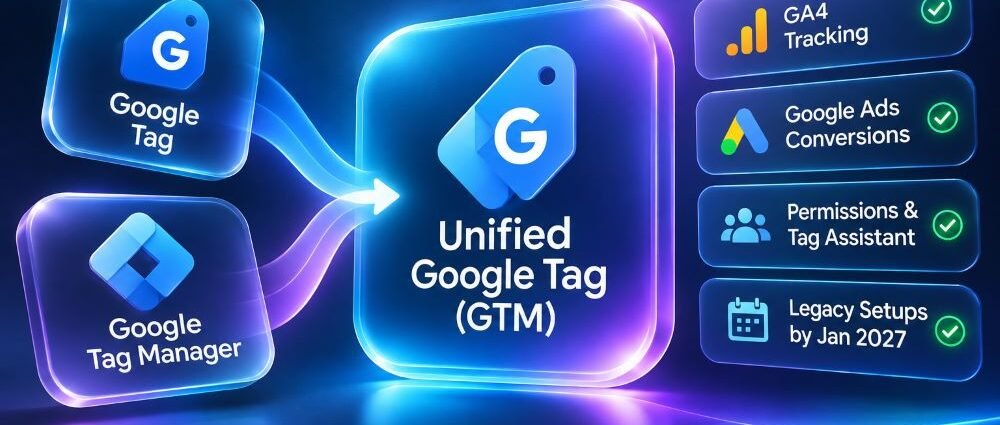
Many sites have sent GA4 events and Google Ads conversions for years without ever opening Google Tag Manager. Now Google is adding Tag Manager capabilities to the Google tag itself, bringing the two workflows closer together. Properly configured tags should keep measuring activity as before, while site owners gain new ways to manage and debug them.
Google plans to upgrade certain unsupported installations in January 2027, particularly legacy setups that depend on gtag('config') alongside an incompatible loader. That calls for a targeted audit, not a wholesale replacement of tracking code.
The Google Tag Manager unification raises two distinct questions: what will Google change automatically, and what does the website owner need to do? The answer depends on installed IDs, legacy gtag('config') calls, access permissions, and conversion setup.
What Changed in the November 2026 Google Tag Update?
On November 17, Google confirmed that Google tags would gain Tag Manager container capabilities, including interface-based management, debugging, and version history. A site using only a Google tag can receive these features without a conventional migration, and Google says existing behavior will remain unchanged. Each Google destination keeps its own tag.
The November 17 Tag Manager release notes introduce a unified snippet that omits gtag('config') by default and recommend Initialization triggers for new setups. They also place Tag Assistant access under Tag Manager container permissions. Google identifies January 2027 as the upgrade window for unsupported installations but does not specify a date.
Automatic container capabilities do not require every owner to reinstall a tag, and Google’s optional GTM container optimization follows a separate workflow. Keep those decisions apart when planning work.
Google Tag vs. Google Tag Manager After the 2026 Update
Previously, sites typically installed gtag.js directly for GA4 or Google Ads, while GTM users managed tags and triggers in a container. Both routes could feed the same products, but installation and maintenance differed. The update narrows that gap without making every deployment method or tag ID interchangeable.
| Area | What Changes | What Still Needs Attention |
|---|---|---|
| Standalone Google tag | Gains Tag Manager interface features, debugging, and versions | Existing destinations and event behavior still need verification |
| New installation code | Uses the updated unified snippet without a default gtag('config') | Initialization settings must match the implementation |
| Standard GTM container | Can optionally optimize Google destination management | Existing third-party tags and triggers still require QA |
| Tag Assistant | Access follows GTM container permissions | Agencies and analysts may need permission review |
| Unsupported legacy setup | Google plans an upgrade in January 2027 | Identify gtag('config') dependencies and follow the documented supported deployment path |
The Google tag vs. Google Tag Manager distinction still matters for third-party pixels. A Google tag with container capabilities cannot automatically run every third-party tag type. Google distinguishes containers loaded with a GTM- ID from product-specific G- or AW- setups; check the installed ID and vendor requirements before considering a migration.
Do Existing Google Tags Need to Be Reinstalled?
For most correctly configured installations, no. Google says supported setups can continue without code changes, so avoid reinstalling plugins, moving every event into GTM, or deleting config calls solely because of the announcement.
Build an inventory of installed tags, including those from themes, ecommerce plugins, consent platforms, GTM containers, and custom code. Match each ID to the GA4 property or Google Ads account receiving its data. Look for duplicate event sources before adding a snippet; two integrations may already send the same conversion.
For a new site or rebuild, use the installation code currently supplied by the relevant Google product. The new default omits gtag('config'), although Google still supports some older gtag.js configurations for backward compatibility. Do not remove a working config call or combine it with a different loader without testing the full initialization sequence.
New Snippets and Legacy gtag('config') Initialization
Initialization timing is where small edits can cause big problems. In older setups, an in-page gtag('config', 'G-...') call could supply parameters and control when a destination initialized; GTM instead uses Initialization triggers. Removing the old command before mapping its settings can change when tags fire and what information they receive.
How gtag('config') Controls Initialization Timing
For web containers migrated from a Google tag, Google provides the Support gtag('config') initialization events compatibility option. With the option enabled, containers loaded through /gtag/js wait for a matching in-page config call; those loaded through /gtm.js initialize on container load and ignore the call, regardless of the setting. Standard GTM- containers that were never Google tags do not offer this legacy option.
Google’s legacy initialization guidance warns that disabling compatibility can start destination tags before older page-level parameters arrive. Removing gtag('config') while a /gtag/js container still waits for it can also prevent tags from firing. Move needed parameters into Tag Manager before changing the setting, then test user IDs, cross-domain configuration, and page views; if both the interface and an eligible legacy call supply a value, the interface takes precedence.
Why Duplicate GA4 Page Views Can Appear
One source may send an automatic GA4 page_view while a plugin or custom script sends another. Compare timestamps and destinations in Tag Assistant, then identify which integration should own page views before removing the duplicate.
Consent timing needs a separate test. Where applicable, a consent-management tag should establish the intended default through Consent Initialization before measurement tags run. Test denied, granted, and changed choices; seeing a tag fire in Preview does not prove that it respected consent settings.
Which Installations Need Attention Before January 2027?
The January 2027 change targets unsupported legacy combinations, not every Google tag. Google’s warning concerns setups that use a Tag Manager-style loader while depending on in-page gtag('config') commands to initialize or configure a destination, potentially with G-, AW-, or DC- IDs. Review the loader, ID, and commands together, even if no one on the team recalls receiving a warning.
The unsupported installation instructions describe supported alternatives. Sites that still need in-page gtag('config') behavior can use the supported /gtag/js path; sites managing third-party tags should retain a proper GTM- container and configure destination tags in its interface. Back up the current setup and test it before changing the snippet.
Do not classify a setup as broken just because the snippet includes /gtm.js or a G- ID. Google’s current unified installation example can legitimately combine those elements without gtag('config'). The unsupported pattern is a legacy hybrid that depends on page-level config calls. Check the full snippet, the supported installation method, and the actual initialization behavior before making changes.
| Website Setup | Priority | Practical Next Step |
|---|---|---|
| Standard standalone Google tag already working | Routine verification | Keep the installation; document IDs, destinations, and events |
Standard GTM container using a GTM- ID | Routine verification | Review tag firing, permissions, and optional optimization |
Legacy GTM-style loading that depends on in-page gtag('config') | Action before January 2027 | Replace the unsupported combination using Google’s documented supported path; retest |
| Migrated Google tag relying on legacy config timing | Review before changing triggers | Preserve compatibility or migrate parameters into the UI first |
| CMS or plugin loads tags alongside manual code | Investigate | Confirm which integration sends each event; eliminate duplication carefully |
Google identifies January 2027 but no exact upgrade day. For a site with an unsupported pattern, schedule a controlled correction ahead of that month and compare measurements before and after; a supported installation has no equivalent migration deadline.
What Happens to GA4 and Google Ads Conversion Tracking?
Google expects supported upgrades to preserve existing tracking, but any local change still deserves testing. In GA4, compare page views and key events with the intended property; in Google Ads, perform a safe test action and inspect the conversion request and destination. Tag Assistant can confirm that a tag fired, not that an ad received attribution. A test lacking an eligible ad interaction may never appear as an attributed conversion.
Even technically correct events can mislead bidding when most form submissions aren’t qualified leads. Define the stages worth measuring before changing goals; Google Ads lead-quality measurement explains that distinction.
Record event definitions and baseline behavior before publishing. Afterward, compare Tag Assistant and GA4 debugging results while accounting for normal traffic variation. One day of lower conversions does not by itself prove a tracking failure, and duplicate page views do not indicate stronger performance.
Google Tag Assistant Permissions and Optional GTM Optimization
The update changes the access model for Tag Assistant. Because its data access follows Tag Manager container permissions, an analyst who previously relied on a different product interface may need an updated role. Audit existing users and linked agencies first. Separate permission to inspect a tag from permission to publish changes, and make sure the business can revoke access when a contract ends.
Google’s optional GTM optimization consolidates Google destination settings within an existing container. Teams review proposed changes before publication, and Google says existing event tags remain in place. Still, test triggers, destinations, and conversion requests after publishing; this guided optimization is separate from the automatic Google tag update.
Keep client administrator control, assign a technical owner, and record approvals of production changes. Contractors need enough access to do their work without becoming the only people who can repair or audit measurement.
Google Tag Manager Migration and Testing Checklist
Before touching a snippet, record IDs, destinations, consent controls, key events, and page-specific settings, then name the plugin, container, or team responsible for each signal. A documented marketing agency onboarding process helps assign access, approval, and testing responsibilities when several vendors work on the same site.
- ☐ Inventory Google tags and GTM containers loaded by source code, plugins, and integrated platforms.
- ☐ Identify
G-,AW-,GT-,DC-, andGTM-IDs and confirm which destinations use them. - ☐ Check whether any product-specific ID loads through an unsupported snippet path.
- ☐ Locate in-page
gtag('config')parameters and document dependencies before changing initialization. - ☐ Verify that consent defaults and updates occur in the intended order.
- ☐ Review GTM and Tag Assistant permissions, including external account links.
- ☐ Use Preview mode and Tag Assistant to check tag and event firing on representative pages.
- ☐ Test page views, lead forms, purchases, and Google Ads conversion signals without generating unintended live transactions.
- ☐ Check for duplicate events from plugins, manual code, and Tag Manager.
- ☐ Record a baseline, publish only reviewed changes, and keep a rollback plan.
- ☐ Compare measurement behavior after deployment and investigate unexpected changes.
The change does not require server-side conversion tracking. As with Microsoft Advertising Conversions API, a successfully delivered event and an ad-attributed conversion are different things; consolidating Google tags cannot resolve missing identifiers or inconsistent CRM stages.
Start by confirming whether the current installation is supported, then test the measurements that matter to the business. Most correctly configured sites can leave their code alone, while sites with unsupported combinations should correct them ahead of January 2027 and treat optional container optimization as a separate controlled release.